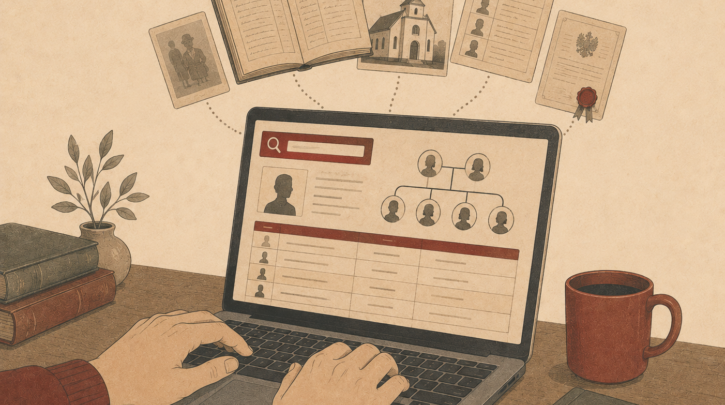

There’s a good chance that someone, somewhere, has already typed your Polish great-grandmother’s name into a database and indexed her birth record — and you can search that index right now for free. That database is Geneteka, and it’s the first place most experienced Polish genealogists go when they begin a new search.
Geneteka is a volunteer-built, completely free index of Polish vital records containing tens of millions of entries from baptism, marriage, and death registers across all three historical partition zones. It’s not a database of scanned images — it’s an index that lets you search by name and then links through to scanned records hosted elsewhere. But as a discovery tool, it’s unmatched in Polish genealogy. This guide walks you through exactly how to use Geneteka effectively, including tips for getting the most out of it that even regular users often miss.
Table of Contents
- What Is Geneteka and Who Built It?
- What Geneteka Covers
- How to Do a Basic Search
- Advanced Search Techniques
- Reading and Understanding the Results
- Getting from an Index Entry to the Original Record
- Tips for Getting More From Geneteka
- What Geneteka Can’t Do
- Final Thoughts
What Is Geneteka and Who Built It?
Geneteka (geneteka.genealodzy.pl) is run by the Polish Genealogical Society (Polskie Towarzystwo Genealogiczne) and built entirely by volunteers who transcribe and index Polish vital records — one entry at a time. Those volunteers have collectively indexed tens of millions of records, and the database continues to grow as more volunteers transcribe more parishes.
The site is free to use. No account is required for basic searching, though creating a free account lets you save searches and access some additional features. The interface is primarily in Polish, but it’s navigable with browser translation or once you learn the handful of key terms you need.
Not sure where to start with your Polish ancestry?
Get the Polish Genealogy Quick-Start Checklist — a 6-step path to your first real ancestor record, plus the 5 terms you’ll see everywhere and direct links to the free archives you need. No subscription required.
What Geneteka Covers
Geneteka covers all three historical partition zones but with uneven depth — some regions and parishes are comprehensively indexed; others have minimal coverage. Galicia (Austrian partition) and the Poznań region (Prussian partition) tend to be particularly well-covered. Coverage of the Russian partition varies significantly by gubernia and parish.
The database indexes three primary record types: baptism/birth records (chrzciny/urodzenia), marriage records (śluby/małżeństwa), and death/burial records (zgony/pochówki). For each entry, Geneteka captures the key data fields — names, dates, parents’ names, witnesses, godparents — making it searchable by multiple variables simultaneously.
How to Do a Basic Search
Navigate to geneteka.genealodzy.pl. The main search form is on the homepage. Here’s what each field means:
- Województwo — the modern Polish voivodeship (province). Select the region where your ancestor lived. If you’re not sure, leave this set to “Wszystkie” (All) to search nationally — though this slows searches on common surnames.
- Parafia/USC — the specific parish or civil registry office. Leave blank unless you know the exact parish.
- Nazwisko — surname. Enter your ancestor’s Polish surname here.
- Imię — given name. Optional, but narrows results significantly.
- Typ aktu — record type: B (births/baptisms), M (marriages), D (deaths). You can search all types simultaneously.
- Lata — year range. Useful for narrowing results on common surnames.
Enter the surname and click Szukaj (Search). Results appear as a table showing record type, year, parish, surname, given name, parents’ names, and a link icon if a scan is available.
Advanced Search Techniques
Searching With Phonetic Variants
Polish surnames were recorded inconsistently, particularly in the 19th century. The same family might appear as Kowalski, Kowalsky, Kowalksi, or even Kowalski in different registers. Geneteka has a “Soundex” or phonetic search option — look for the checkbox labelled Fonetycznie or similar — that finds spelling variants automatically. Always try phonetic searching if your initial exact search returns few or no results.
Searching by Parents’ Names
One of Geneteka’s most powerful features — and one that many beginners overlook — is the ability to search by parents’ names rather than the subject’s name. If you know that your great-grandmother’s parents were Jan Wiśniewski and Maria (née Kowalska), you can search for all birth records where the father’s name is Jan Wiśniewski and find siblings your great-grandmother may never have mentioned. This is invaluable for building out a complete family picture.
The “Also Search for Relatives” Feature
Geneteka’s marriage record search can return not just the couple but also their parents’ names, witnesses, and sometimes siblings if the indexers captured the full record. Searching for a marriage using the groom’s surname alongside the bride’s maiden name often surfaces the parents’ names — which then becomes your next search query for the previous generation.
Reading and Understanding the Results
Geneteka results are displayed in a table. The columns vary slightly depending on record type, but for a birth record you’ll typically see: year, parish name, record number, given name of child, surname of child, father’s name, mother’s name (with maiden name where recorded), and an icon indicating whether a scan is available.
The data is exactly as transcribed from the original — so if the original record spelled the surname differently, that’s what you’ll see. Don’t assume a non-matching entry is wrong before you check the image; transcription errors occur, and names were recorded inconsistently in the source records themselves.
Tip: When you find a potential match, always view the original scan before treating it as confirmed. The scan may reveal additional details not captured in the index — like a marginal note recording the subject’s later marriage or death — and it lets you verify the transcription was accurate.
Getting from an Index Entry to the Original Record
When a scan is available, a camera or document icon appears next to the entry. Clicking it usually takes you to one of several hosting platforms: Szukaj w Archiwach (the Polish state archive portal), the Metryki portal, or occasionally FamilySearch or another host. The scan will show the original page from the register — the actual handwritten record your ancestor appears in.
If no scan icon appears, it means the records for that parish and year haven’t been digitised and made publicly available yet. In this case, the next step is contacting the relevant state archive directly (the Geneteka entry usually names the archive holding the original) to request a copy, either by post or through their online records request system.
Tips for Getting More From Geneteka
- Search with just the first few letters of a surname if you’re unsure of the full Polish spelling. Geneteka supports partial surname searches.
- Search maiden names — Geneteka indexes mothers’ maiden names in birth records and brides’ maiden names in marriage records, making it possible to search through the female line.
- Check coverage before concluding records don’t exist — the “Dostępne parafie” (Available parishes) section shows which parishes in a given region have been indexed and for which years. If your parish isn’t listed, the records may exist but simply haven’t been indexed yet.
- Use the “Szukaj w okolicy” (Search in the area) feature to search across multiple parishes in a geographic cluster simultaneously — useful when you’re not sure which of several nearby parishes your ancestor belonged to.
- Save useful search URLs — Geneteka’s search results have persistent URLs you can bookmark for repeat searches.
What Geneteka Can’t Do
Geneteka is a discovery tool, not a complete archive. It only covers records that have been indexed by volunteers — which is a large but still incomplete subset of all surviving Polish vital records. If your ancestor’s parish isn’t indexed, you’ll need to go directly to the archive or digitised image collection.
It also doesn’t hold scans itself — it links out to other platforms that host the images. If those platforms have removed or restricted access to a scan, Geneteka can point you to the record but can’t show you it. And like any volunteer-indexed database, transcription errors exist — treat index entries as leads to be verified, not facts to be accepted uncritically.
Not sure where to start with your Polish ancestry?
Get the Polish Genealogy Quick-Start Checklist — a 6-step path to your first real ancestor record, plus the 5 terms you’ll see everywhere and direct links to the free archives you need. No subscription required.
Final Thoughts
Geneteka is the best starting point for Polish surname research — fast, free, and covering more parishes than any other single database. Spend time learning its search options, particularly the phonetic search and the parents’-name search, and it will repay you many times over in records found.
Once you find a record in Geneteka, the next skill is viewing and reading the original scan. For records in the Metryki portal — particularly Galician parish registers — our guide on how to use Metryki for Polish church records covers the navigation in detail. Or head to our Complete Beginner’s Guide to Polish ancestry research for the full research framework. Subscribe to our newsletter for weekly Polish heritage guides.